-
-
-
-
Connected HTTP services
-
-
This content has been machine translated dynamically.
Dieser Inhalt ist eine maschinelle Übersetzung, die dynamisch erstellt wurde. (Haftungsausschluss)
Cet article a été traduit automatiquement de manière dynamique. (Clause de non responsabilité)
Este artículo lo ha traducido una máquina de forma dinámica. (Aviso legal)
此内容已经过机器动态翻译。 放弃
このコンテンツは動的に機械翻訳されています。免責事項
이 콘텐츠는 동적으로 기계 번역되었습니다. 책임 부인
Este texto foi traduzido automaticamente. (Aviso legal)
Questo contenuto è stato tradotto dinamicamente con traduzione automatica.(Esclusione di responsabilità))
This article has been machine translated.
Dieser Artikel wurde maschinell übersetzt. (Haftungsausschluss)
Ce article a été traduit automatiquement. (Clause de non responsabilité)
Este artículo ha sido traducido automáticamente. (Aviso legal)
この記事は機械翻訳されています.免責事項
이 기사는 기계 번역되었습니다.책임 부인
Este artigo foi traduzido automaticamente.(Aviso legal)
这篇文章已经过机器翻译.放弃
Questo articolo è stato tradotto automaticamente.(Esclusione di responsabilità))
Translation failed!
Connected HTTP services
Connected HTTP Services consist of services used for the implementation of software applications. These services are typically providing functions, data or host access via APIs over the HTTP network protocol.
Tip
The nature and protocol of services that can be attached to workspaces depend on your platform’s implementation.
As it is the case with other types of resources, HTTP services are attached to workspaces during the creation or the update of the workspace’s settings.
View Connected HTTP Services
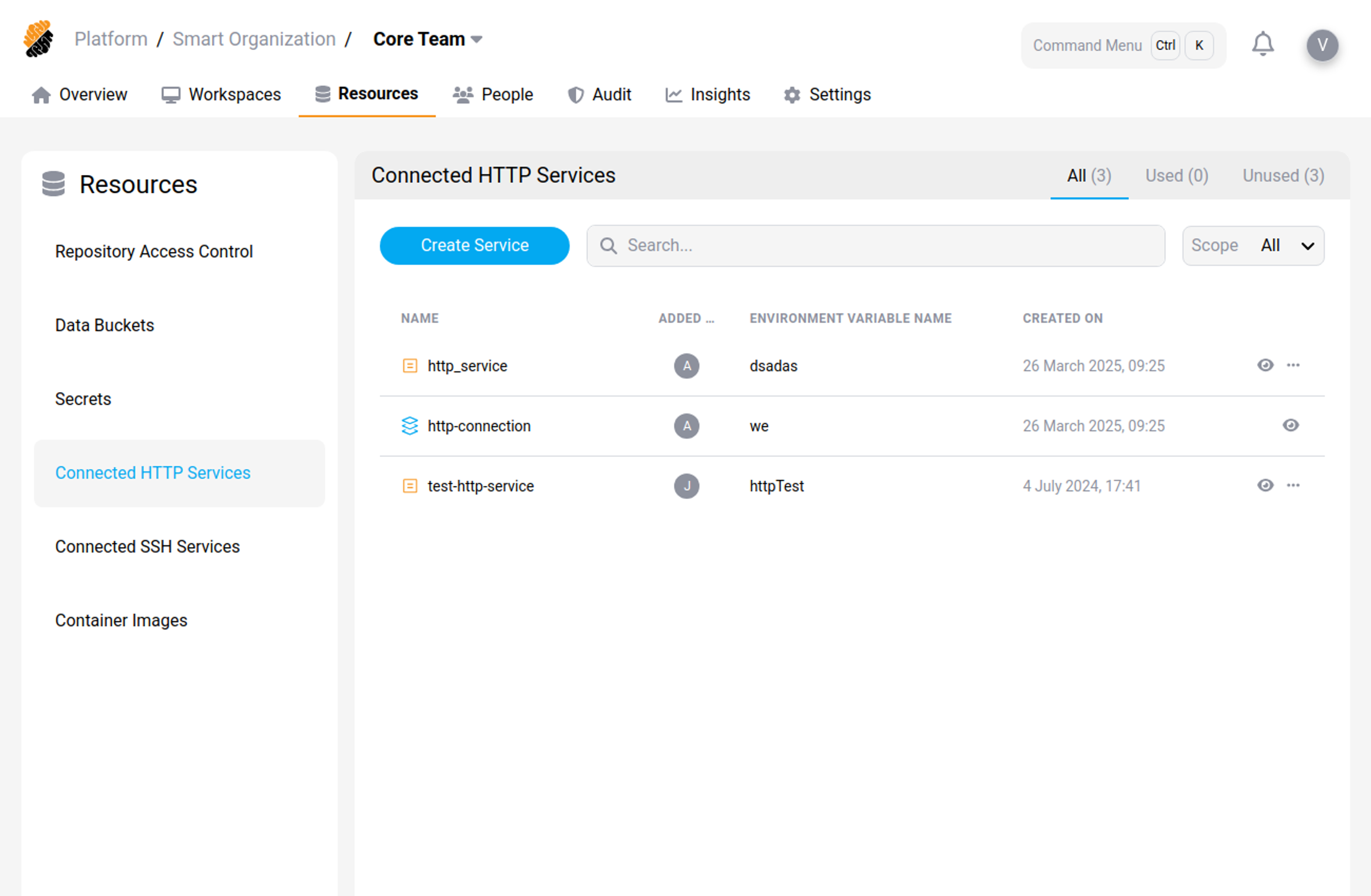
Connected HTTP services are defined by the following characteristics:
- Basic information: Name, scope of use (platform, organization or project), URL and tag.
- Class Level: This option defines the visibility for the service based on the user’s permissions.
- Asset Information: This option allows for providing a description of the container.
- Environment Variable Name: allows access to the service by naming an environment variable.
Add an HTTP Service
Requires the Resources permission set to Manage.
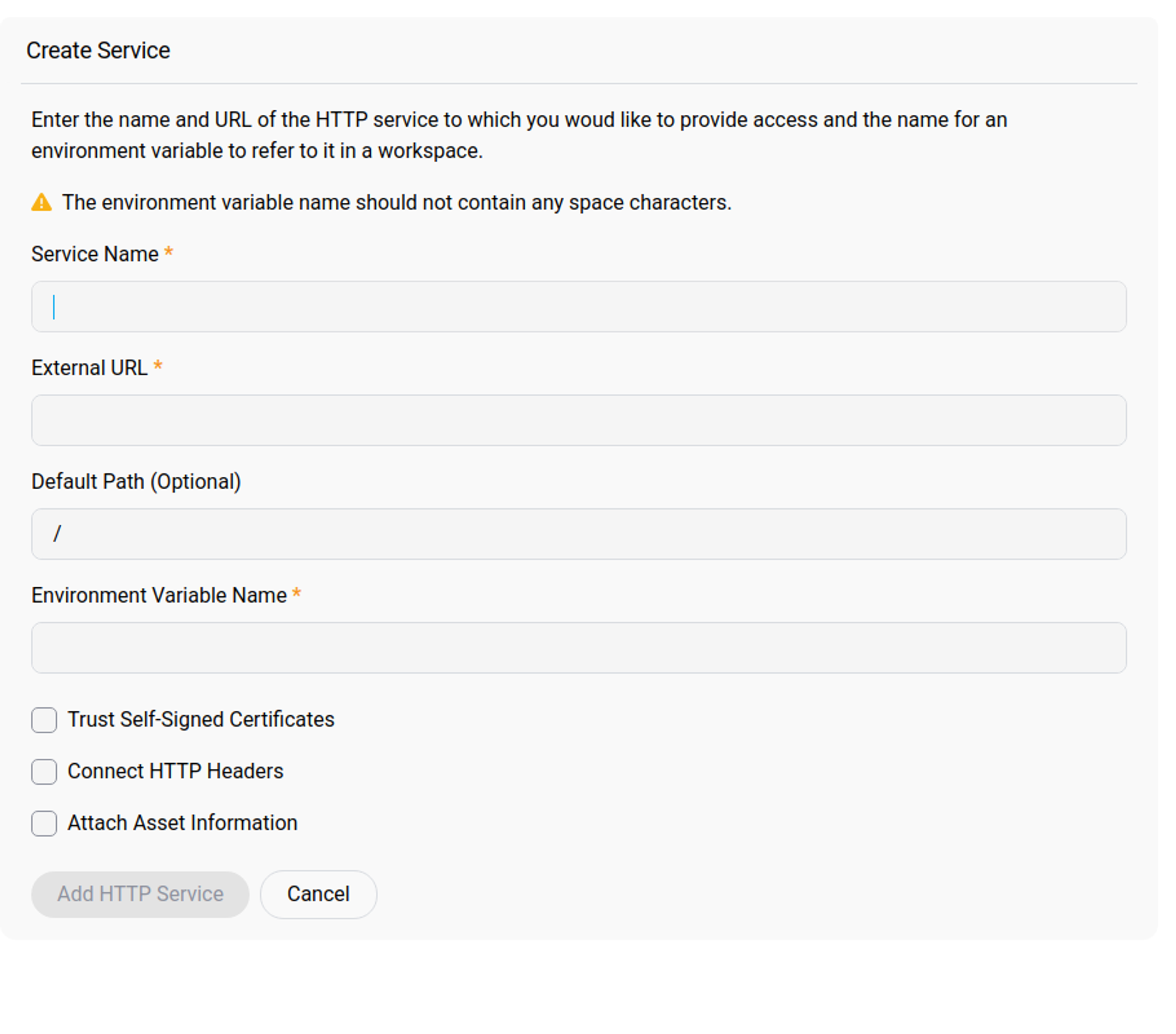
Select Create Service, then provide:
- Service Name, a name to identify the service.
- External URL, which points to the service location.
- Default Path (Optional), appended to the URL when the service is called.
- Environment Variable Name, used to name the service inside the workspace environment. It must not contain spaces or special characters.
- Trust Self-Signed Certificates, if the service presents a certificate that is not publicly trusted.
- Connect HTTP Headers, used to pass authentication data when the service requires it. You can add basic access authentication or custom headers.
- Attach Asset Information, used to provide a description of the service.
Select Add HTTP Service to save it.
Related information
Share
Share
In this article
This Preview product documentation is Citrix Confidential.
You agree to hold this documentation confidential pursuant to the terms of your Citrix Beta/Tech Preview Agreement.
The development, release and timing of any features or functionality described in the Preview documentation remains at our sole discretion and are subject to change without notice or consultation.
The documentation is for informational purposes only and is not a commitment, promise or legal obligation to deliver any material, code or functionality and should not be relied upon in making Citrix product purchase decisions.
If you do not agree, select I DO NOT AGREE to exit.