Third-party integration failure notifications
The Device Posture service integrates with third-party solutions such as Microsoft Intune, CrowdStrike, and Jamf Pro. Downtime or errors from these third-party cloud services can lead to unexpected device posture scan outcomes. This feature provides email notifications to administrators when third-party integration failures occur. These errors are also displayed in the Secure Private Access and Device Posture service dashboards. This allows customers to contact third-party service support directly with relevant error information, bypassing Citrix Support and reducing downtime.
Use case
Consider a customer who has configured a CrowdStrike scan to mark a device as compliant. Otherwise, the device is marked as non-compliant.
If a CrowdStrike outage occurs, the Citrix Device Posture service cannot contact CrowdStrike to retrieve device compliance details. As a result, the end-user device is automatically marked as non-compliant.
When this failure occurs, customers receive email notifications and can view detailed error information in both the Device Posture and Secure Private Access diagnostics dashboards. This visibility enables customers to contact the third-party support teams directly to resolve the issue, thereby reducing the downtime.
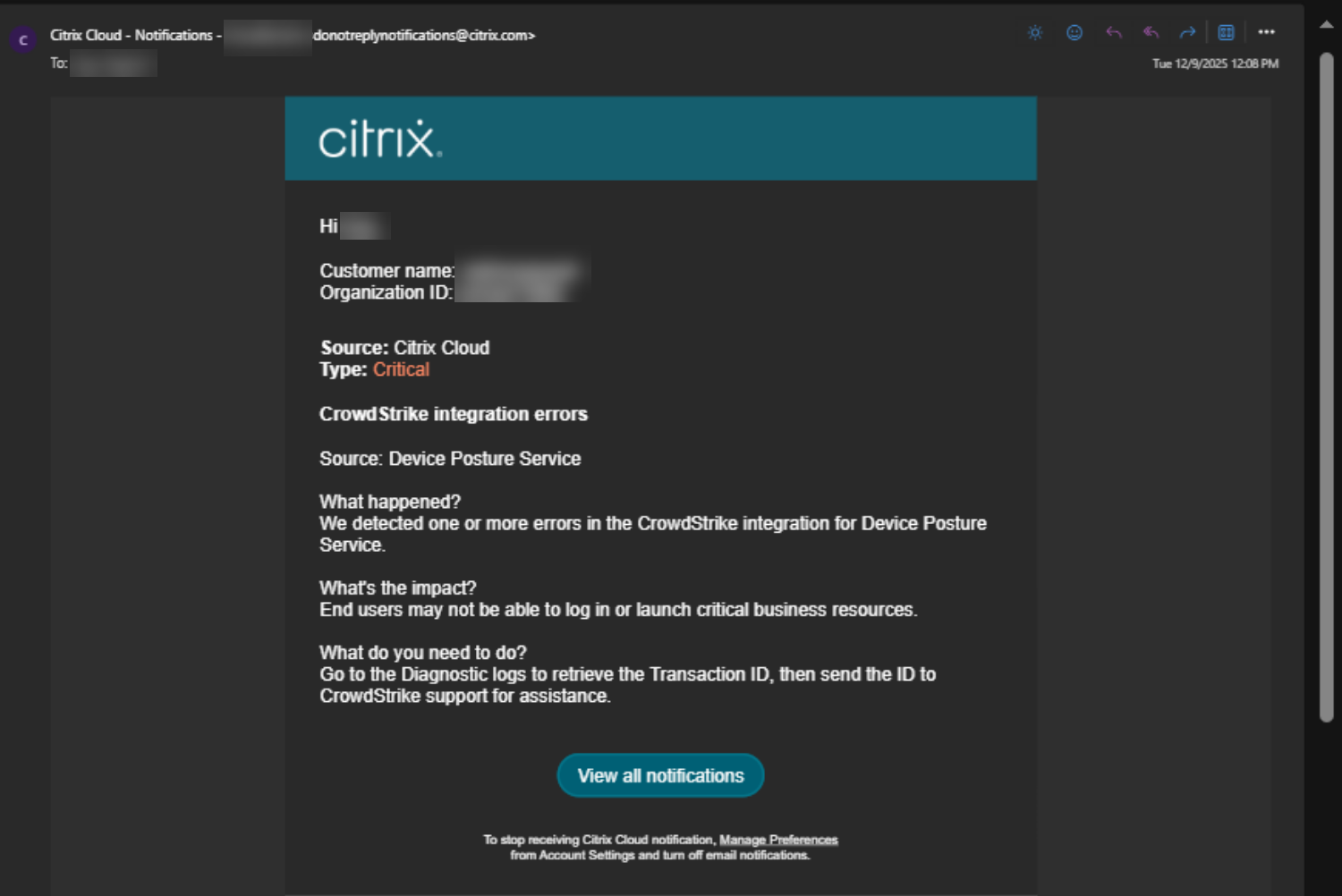
The following figure displays a sample email notification:
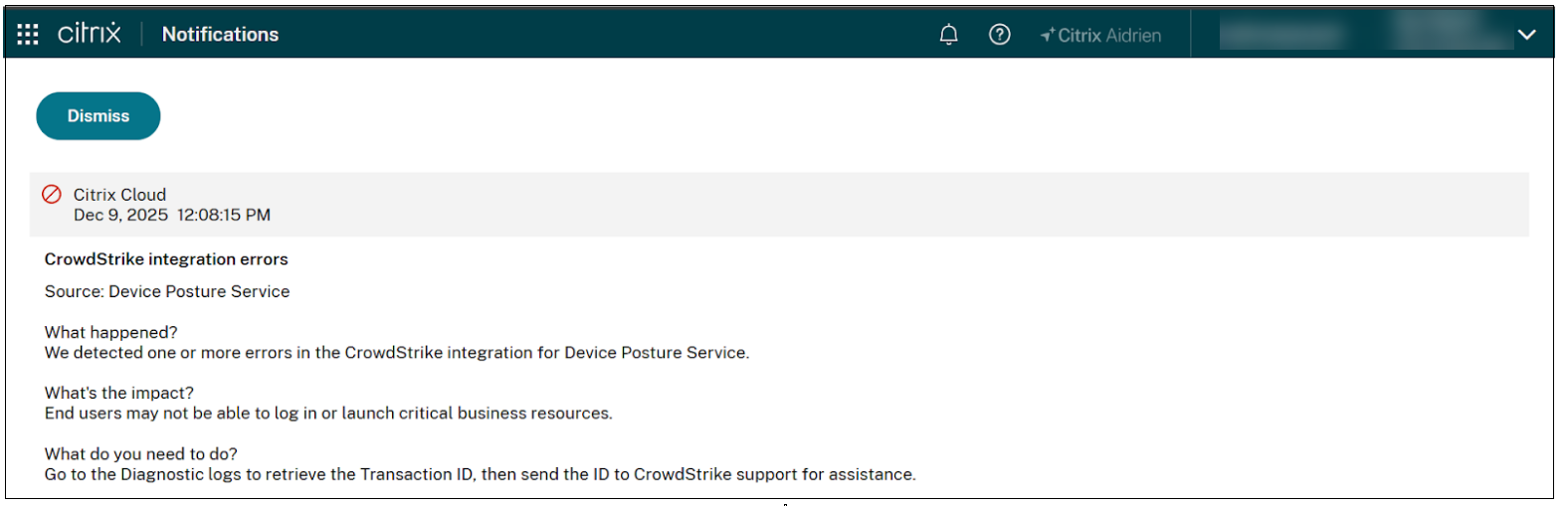
The following figure displays a notification on the dashboard:
Prerequisites
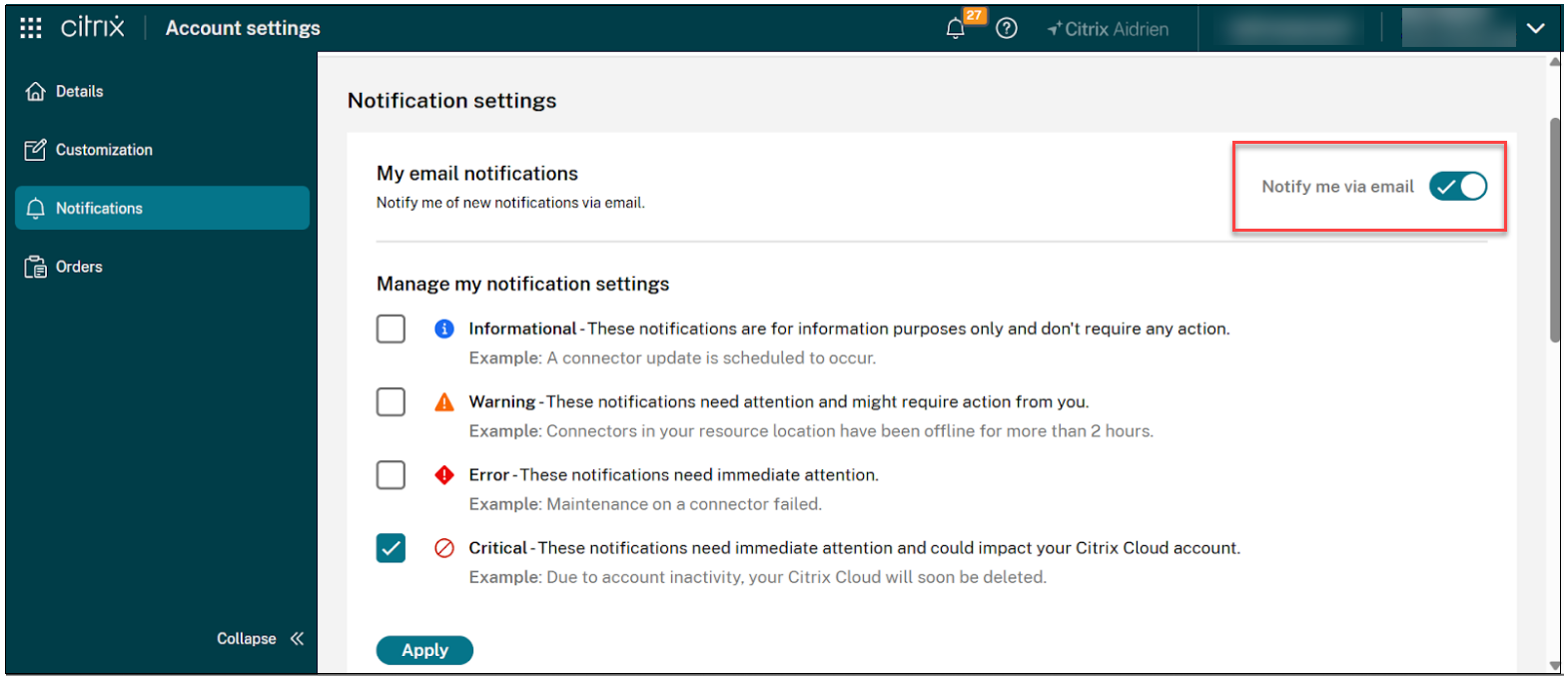
The Citrix administrator must enable the following in the Citrix Account settings > Notifications page and the click Apply.
- Turn the Notify me via email toggle switch to ON.
- Select the Critical notification setting.
Configure for notifications in the Device Posture service admin console
- Navigate to Global settings.
- In the Device Posture integration notifications box, enable the toggle switch to ON.
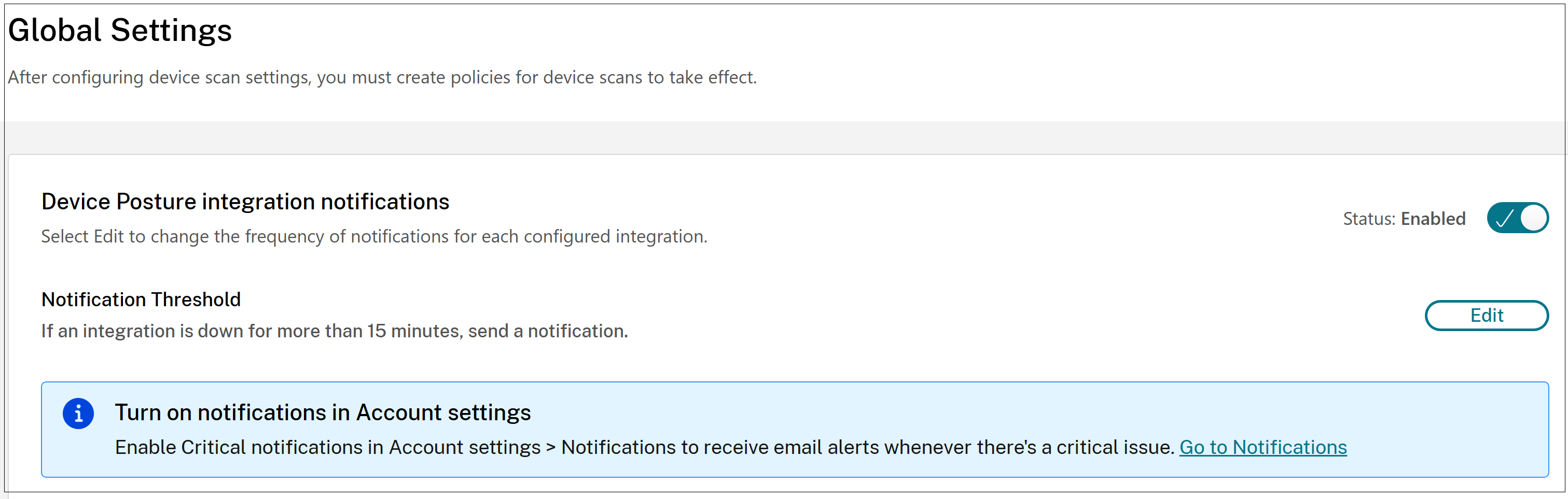
By default, a notification is sent after 15 minutes if an integration is down. You can customize the notification frequency based on your requirements.
To change the frequency, click Edit, select the required frequency, and then click Save.