Multimedia
Multimedia is where you configure the device’s audio output and input, including volume, muting, and the system beep.
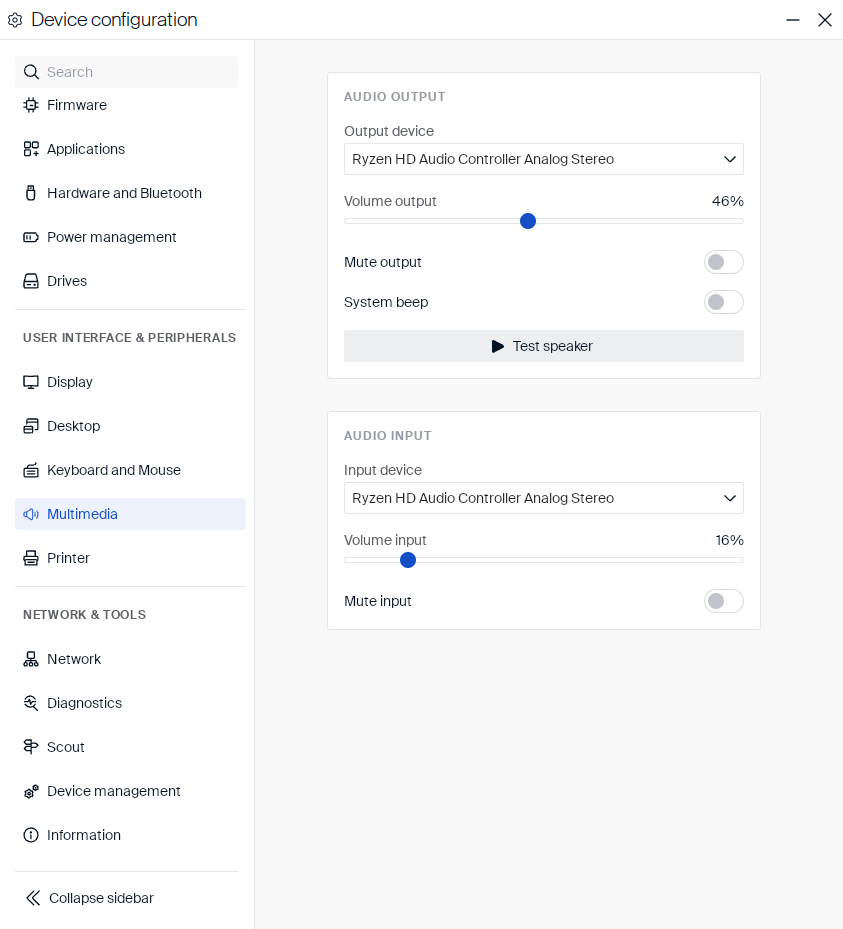
Audio output
Choose which device plays sound, and control its volume and the system beep:
| Setting | Type | Description |
|---|---|---|
| Output device | Dropdown | The audio device used for playback. |
| Volume output | Slider | The playback volume level. |
| Mute output | Toggle | Mutes audio playback. |
| System beep | Toggle | Enables or disables the system beep sound. |
| Test speaker | Button | Plays a test sound through the selected output device. |
Audio input
Choose which device records sound, and control its volume:
| Setting | Type | Description |
|---|---|---|
| Input device | Dropdown | The audio device used for recording. |
| Volume input | Slider | The recording volume level. |
| Mute input | Toggle | Mutes audio recording. |
USB audio auto-accept
When you connect a USB audio device, eLux® shows a “New USB hardware found (audio)” notification with a Use Device button rather than making it the default automatically.
The notification stays in the Notification Center, so you can click Use Device even after it disappears.
An administrator can change this per device, group, or OU with two keys in /setup/terminal.ini, section [Multimedia], set via Scout → Advanced Configuration → File Entries:
| Key | Effect |
|---|---|
AudioAutoAcceptList |
Whitelist — listed devices become default automatically, no notification. |
IgnoreAsDefault |
Blacklist — listed devices never become default, no notification. |
Devices in neither list still show the notification. If a device is in both, the blacklist wins.
Both keys are empty by default, so every new device shows the notification until you add one.
Both take comma-separated vendorId:productId pairs (4-digit hex, case-insensitive) — find a device’s ID with lsusb (for example, ID 046d:0a4d → use 046d:0a4d):
[Multimedia]
AudioAutoAcceptList=all              # every device, like eLux RP6 (whitelist only)
AudioAutoAcceptList=0d8c:0014,046d:* # only these: one exact device, and all from vendor 046d
IgnoreAsDefault=8087:0aaa            # never default this device (e.g. a dock/monitor speaker)
<!--NeedCopy-->
Note:
This only controls which device becomes the default — non-default devices remain usable and can still be selected manually.
Applies to both audio output and input.