-
-
How to install and use JetBrains IntelliJ Gateway as a Citrix published application
-
Use Citrix Secure Access and Citrix Secure Developer Spaces with VS Code
-
Configure AI Gateway routing in Citrix Secure Developer Spaces
-
Configure external MongoDB with X.509 authentication in Citrix Secure Developer Spaces
-
-
Workspace Resource Usage Insights
This content has been machine translated dynamically.
Dieser Inhalt ist eine maschinelle Übersetzung, die dynamisch erstellt wurde. (Haftungsausschluss)
Cet article a été traduit automatiquement de manière dynamique. (Clause de non responsabilité)
Este artículo lo ha traducido una máquina de forma dinámica. (Aviso legal)
此内容已经过机器动态翻译。 放弃
このコンテンツは動的に機械翻訳されています。免責事項
이 콘텐츠는 동적으로 기계 번역되었습니다. 책임 부인
Este texto foi traduzido automaticamente. (Aviso legal)
Questo contenuto è stato tradotto dinamicamente con traduzione automatica.(Esclusione di responsabilità))
This article has been machine translated.
Dieser Artikel wurde maschinell übersetzt. (Haftungsausschluss)
Ce article a été traduit automatiquement. (Clause de non responsabilité)
Este artículo ha sido traducido automáticamente. (Aviso legal)
この記事は機械翻訳されています.免責事項
이 기사는 기계 번역되었습니다.책임 부인
Este artigo foi traduzido automaticamente.(Aviso legal)
这篇文章已经过机器翻译.放弃
Questo articolo è stato tradotto automaticamente.(Esclusione di responsabilità))
Translation failed!
Workspace resource usage insights
Citrix Secure Developer Spaces™ (SDS) provides historical insights into workspace CPU and memory usage. This data is automatically collected and stored in the SDS database to support rightsizing analysis and long-term trend evaluation.
By leveraging this data, customers can:
- Analyze CPU and memory consumption for each workspace over time.
- Identify optimal resource allocation for workspaces.
- Reduce infrastructure costs while maintaining a high-quality developer experience.
Requirements
To enable the collection of workspace metrics, the Kubernetes Metrics Server must be installed. This component aggregates resource usage data across Kubernetes clusters and is commonly deployed in cloud-hosted environments or any setup that uses autoscaling.
For installation instructions and additional details, see the Kubernetes Metrics Server documentation
Data collection and storage
SDS automatically consolidates the raw measurement data every five minutes and provides the following data points for the previous 5-minute interval:
- Minimum, Maximum, Average, P50, P75, P95, and P99
Access workspace measurements
Workspace measurement data is available through the management console and via API.
Download from the management console
Platform administrators and security officers can download workspace measurements as a file from Platform Settings > Analytics & Privacy > System Analytics.
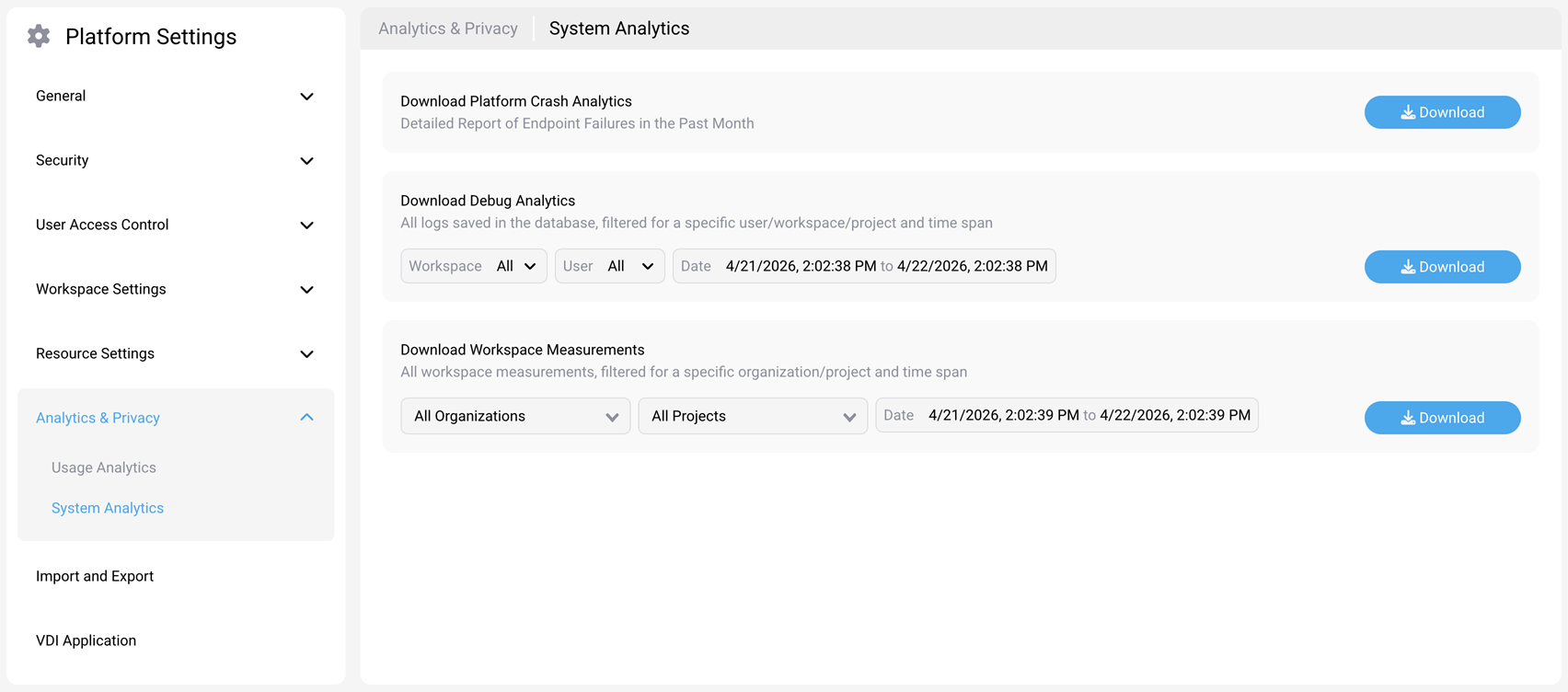
Available filters:
- Organization — Select a specific organization or keep All Organizations to include data from every organization.
- Project — Select a specific project or keep All Projects to include data from every project.
- Date — Specify a start and end date, or select All Dates to download the complete measurement history.
To download workspace measurements:
- Navigate to Platform Settings > Analytics & Privacy > System Analytics.
- In the Download Workspace Measurements section, select an organization, project, and date range.
- Select Download.
For more information about the System Analytics page, see System Analytics.
Access via API
Data is available in both raw and aggregated formats via API. Customers can access metrics at the platform, organization, and project levels.
- For raw data, use the workspace-measurements-samples API (for example,
/v1/metrics/workspace-measurements-samples). - For aggregated data, use the workspace-measurements API (for example,
/v1/projects/{projectId}/metrics/workspace-measurements).
For API documentation and usage examples, see the Secure Developer Spaces API documentation.
Share
Share
This Preview product documentation is Citrix Confidential.
You agree to hold this documentation confidential pursuant to the terms of your Citrix Beta/Tech Preview Agreement.
The development, release and timing of any features or functionality described in the Preview documentation remains at our sole discretion and are subject to change without notice or consultation.
The documentation is for informational purposes only and is not a commitment, promise or legal obligation to deliver any material, code or functionality and should not be relied upon in making Citrix product purchase decisions.
If you do not agree, select I DO NOT AGREE to exit.