Desktop
Desktop is a section of Device configuration where you can set the system language, configure keyboard shortcuts for common actions, and customize the desktop’s colors and system bar.
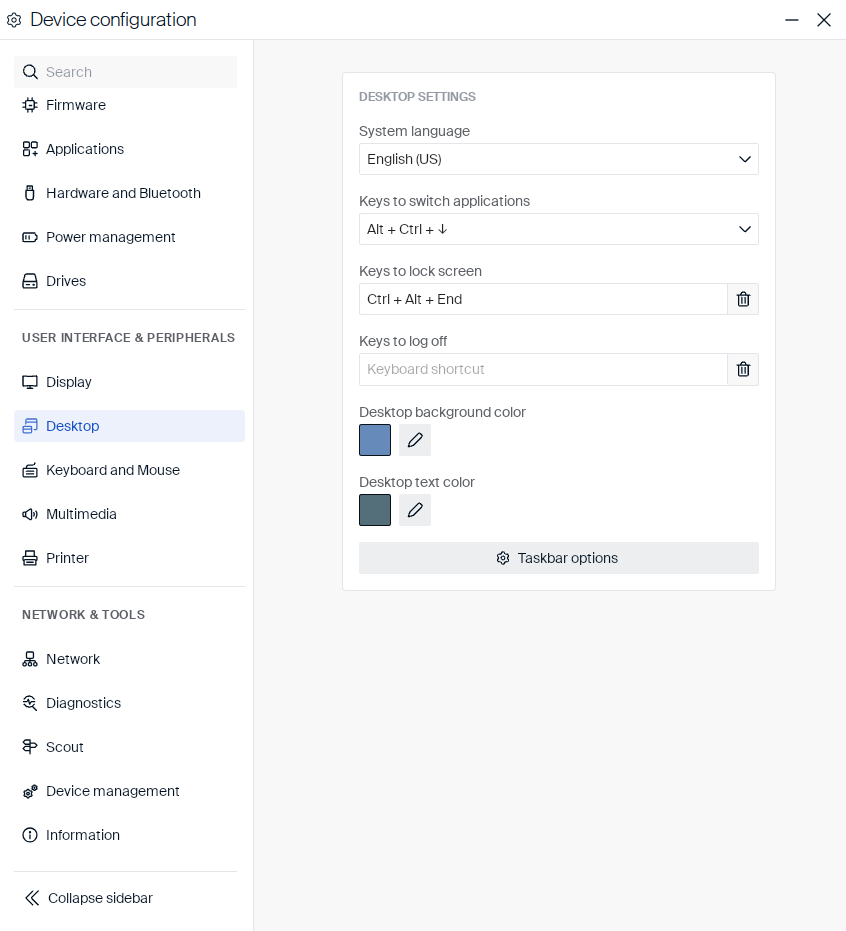
| Setting | Type | Description |
|---|---|---|
| System language | Dropdown | Sets the language of the user interface. |
| Keys to switch applications | Dropdown | Keyboard shortcut for switching between open applications: Alt + Ctrl + ↓ (default) or Alt + Tab. |
| Keys to lock screen | Shortcut field | Keyboard shortcut for locking the screen. |
| Keys to log off | Shortcut field | Keyboard shortcut for logging off. Empty by default. |
| Desktop background color | Color picker | The color of the desktop background. |
| Desktop text color | Color picker | The color of desktop text and icon labels. |
System bar
Click Taskbar options to configure the system bar:
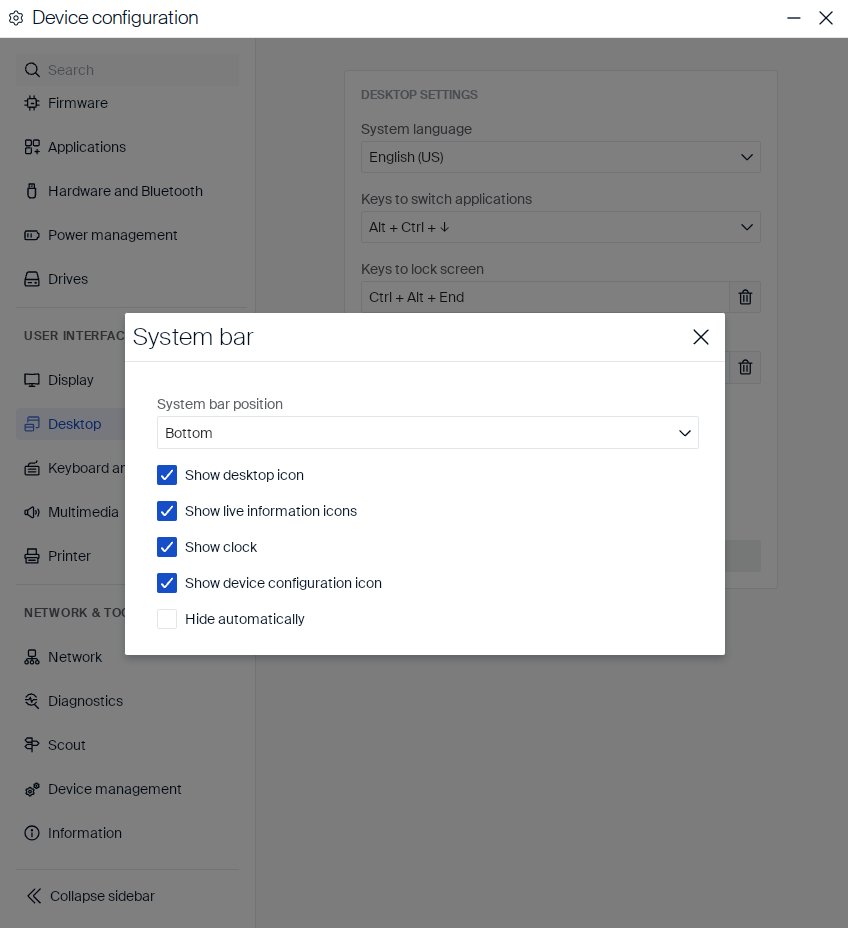
| Setting | Type | Description |
|---|---|---|
| System bar position | Dropdown | Top or bottom of the screen. |
| Show desktop icon | Checkbox | Shows the icon for minimizing all open windows. |
| Show live information icons | Checkbox | Shows live status icons, such as network and audio. |
| Show clock | Checkbox | Shows the current time. |
| Show device configuration icon | Checkbox | Shows the icon for opening Device configuration. |
| Hide automatically | Checkbox | Automatically hides the system bar when not in use. |
Desktop
In this article
Copied!
Failed!