Clone settings across stores, channels, and configuration profiles
Clone settings refer to the ability to duplicate settings, which are already configured for an application through Client app management. Instead of going through the entire configuration process again, administrators can simply clone the existing settings to save time and effort. This feature streamlines the workflow, improves productivity, and maintains consistency.
Client app management allows cloning of settings in the following scenarios:
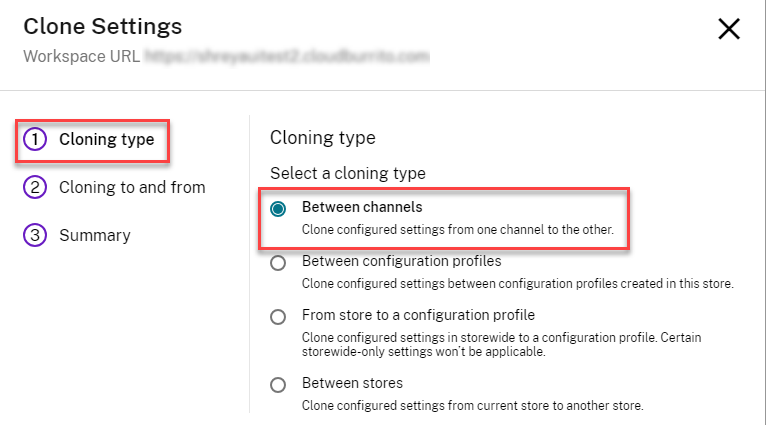
- Between channels: Clone the configured settings from one channel to the other.
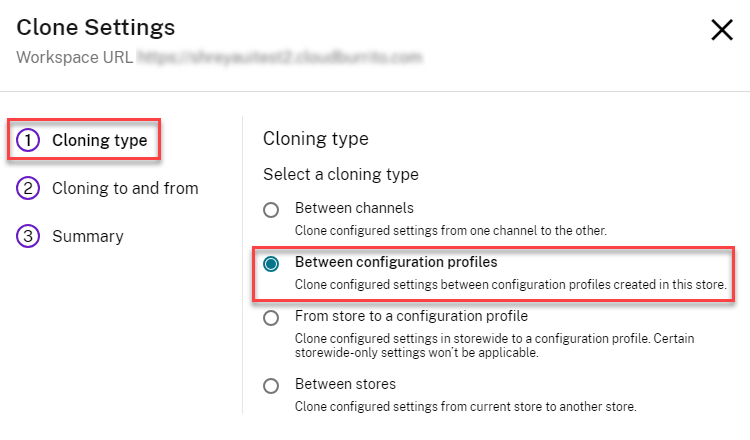
- Between profiles: Clone the configured settings between configuration profiles created within the store.
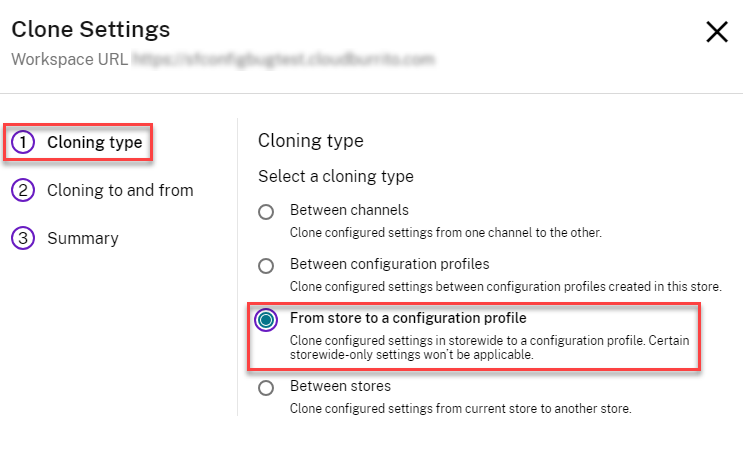
- From store to a profile: Clone the configured settings in default profile (all users) to a configuration profile.
- Between stores: Clone the configured settings from the current store to another store.
Notes:
- Cloned settings overwrite the existing settings at the destination.
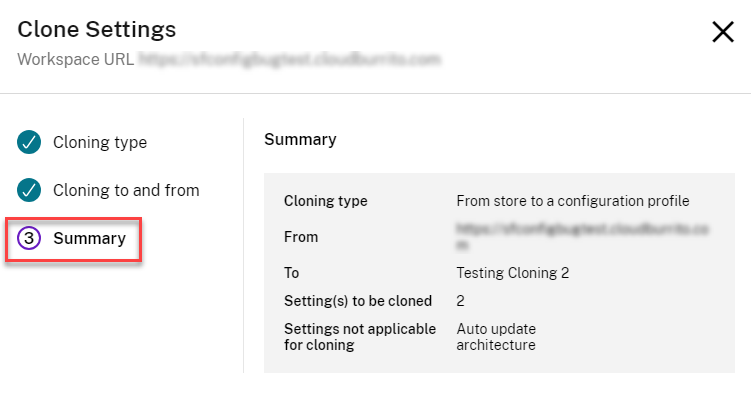
- Settings that are exclusive to a default profile can’t be cloned to the configuration profile with “From store to a profile” clone option.
- Cloning between stores is possible only with stores of the same type. Both the source and destination stores must be either Workspace stores or StoreFront™ stores.
To use this feature, you need to:
-
Navigate to Client app management > Stores.
-
From the list of configured store URLs, select the store for which you want to map settings and then click Configure.
-
Select the desired store from the given store list, and click the Clone Settings option.

-
Select a cloning type from the Clone Settings window and click Next.
-
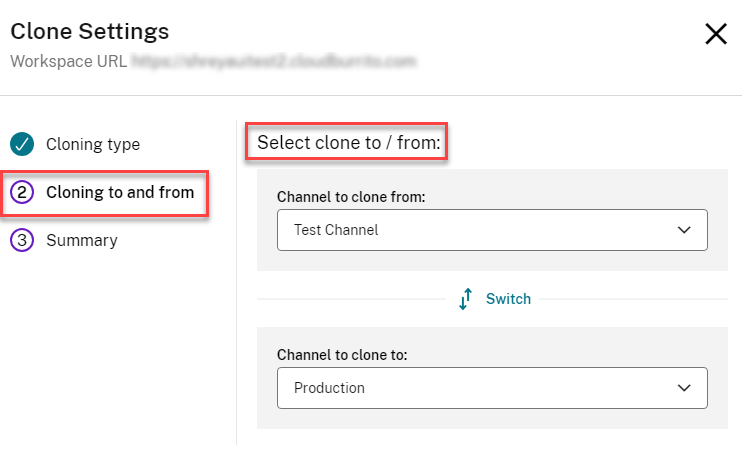
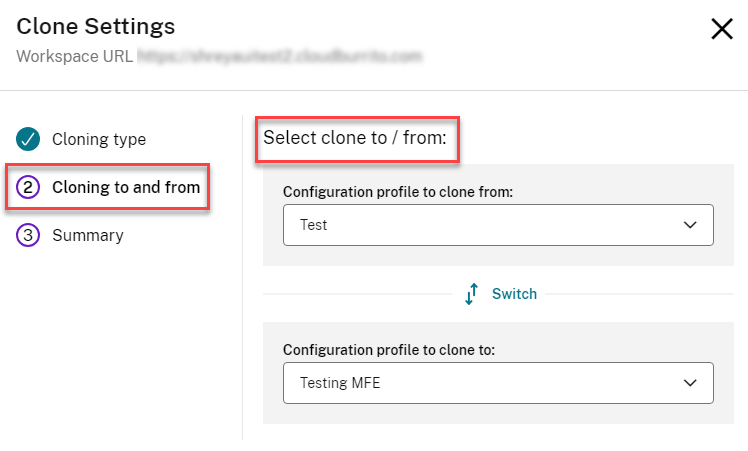
Select Cloning to and from information by selecting the appropriate details from the drop-down list.
See the following sections for more information about steps 4 and 5.
Clone settings between channels
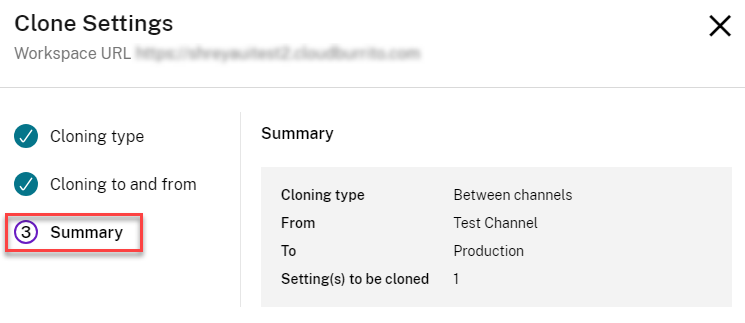
You can clone the settings between Production and Test Channel in Storewide.
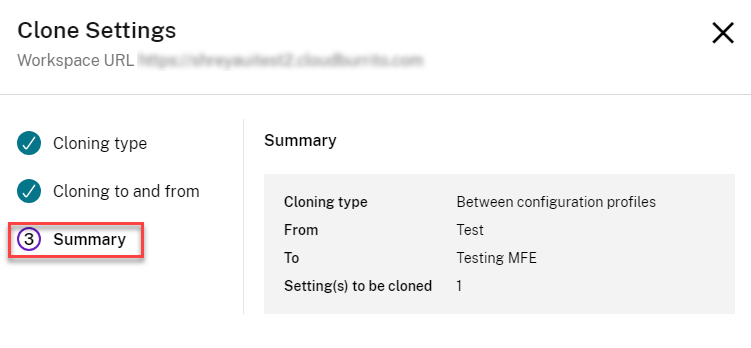
Clone settings between configuration profiles
You can clone the settings between two configuration profiles.
Clone settings from store to configuration profiles
You can clone the settings from a store to a configuration profile.

Clone settings between stores
You can clone the settings between stores.
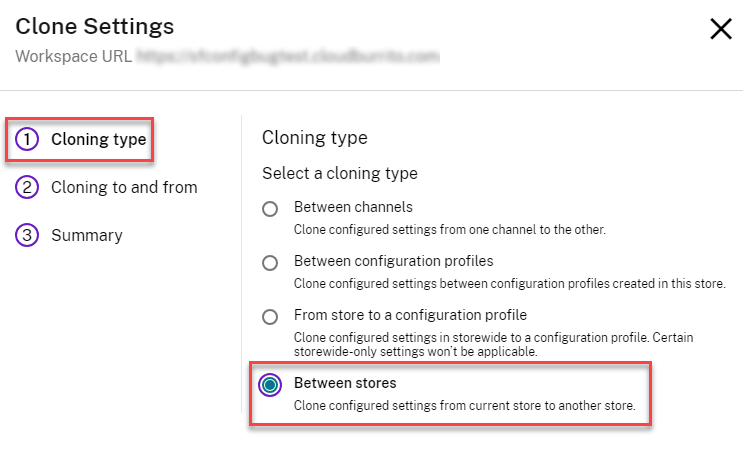
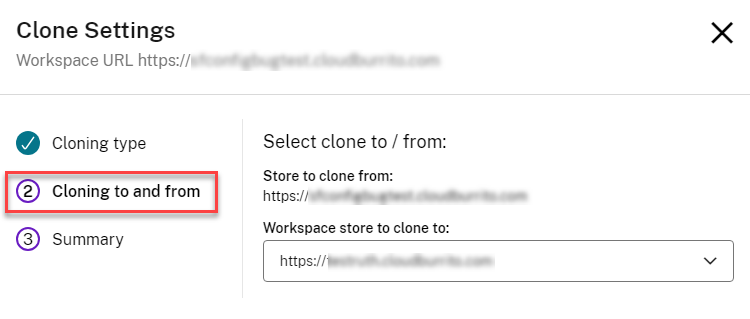
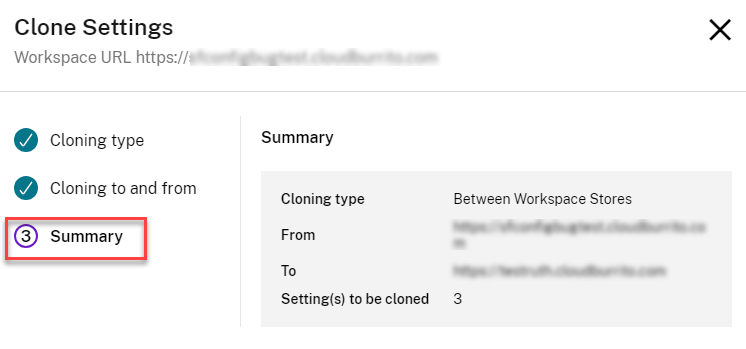
After selecting the cloning options:
-
Click Next.
-
Verify the configured clone settings on the Summary page, and click Clone.
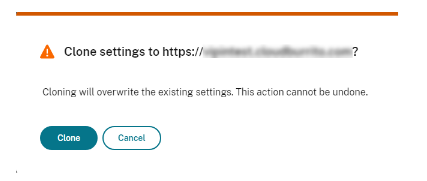
You can see a notification following the successful cloning.
