What’s new
What’s new in 2109
The 2109 release includes the following new feature and addresses issues to improve the user experience:
Windows 11 support
The Citrix components, features, and technologies in this release that support the Windows 10 OS now also support Windows 11, unless otherwise noted. For more information, see Windows 11 support.
Support for event data visualization
Event data visualization is now available in the web player for each recording. It provides graphical event statistics that help you quickly comprehend large numbers of events inserted in recordings, allowing you to easily see and communicate event trends. For more information, see View graphical event statistics in the Session Recording web player article.
Monitor registry modifications
We have extended the scope of event detection to monitor the following registry modifications while recording sessions:
| Registry modification | Corresponding event |
|---|---|
| Adding a key | Registry Create |
| Adding a value | Registry Set Value |
| Renaming a key | Registry Rename |
| Renaming a value | Registry Delete Value and Registry Set Value |
| Changing an existing value | Registry Set Value |
| Deleting a key | Registry Delete |
| Deleting a value | Registry Delete Value |
For example:
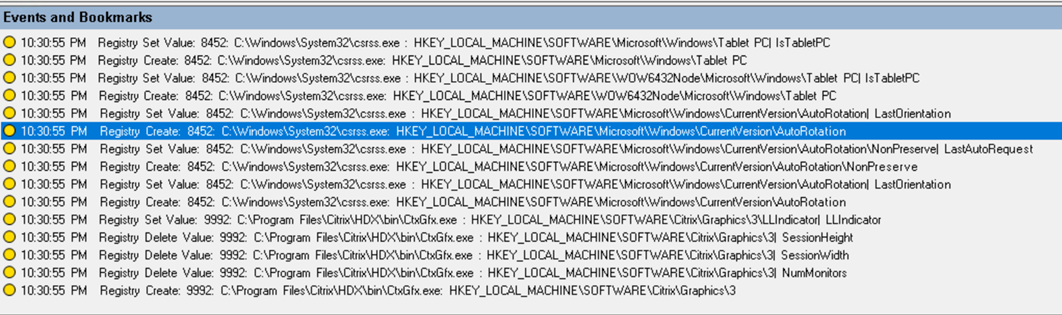
To enable this registry monitoring functionality, select the Log registry modifications option for your event detection policy. For more information, see Create a custom event detection policy and Log events.
Renamed policies
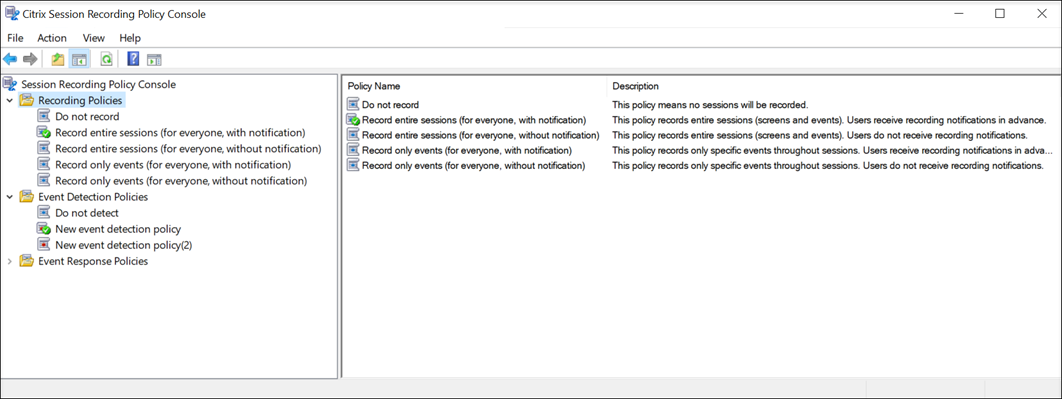
In the Session Recording Policy Console, we have renamed the following recording policies and options for event detection settings:
| Old name | New name |
|---|---|
| Record event only for everyone with notification | Record only events (for everyone, with notification) |
| Record event only for everyone without notification | Record only events (for everyone, without notification) |
| Record everyone with notification | Record entire sessions (for everyone, with notification) |
| Record everyone without notification | Record entire sessions (for everyone, without notification) |
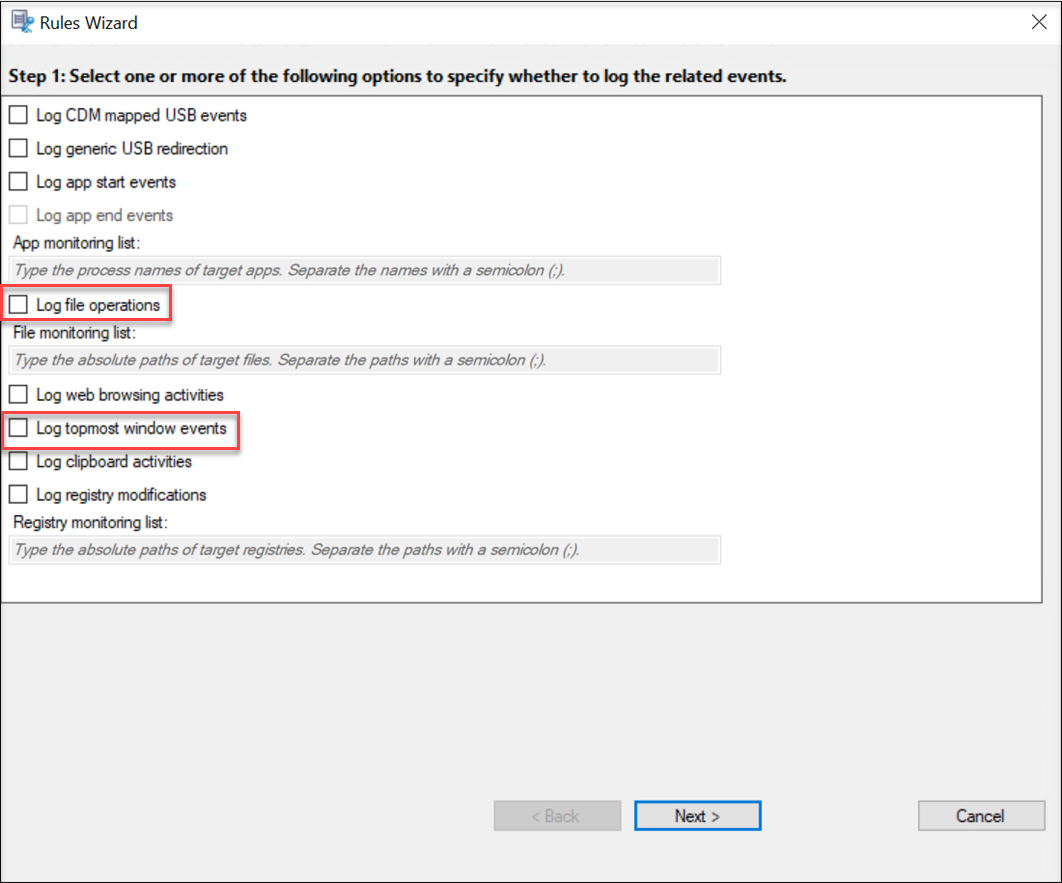
| Log sensitive file events | Log file operations |
| Log top-most window activities | Log topmost window events |
Renamed recording policies:
Renamed options for event detection settings: